
Customer portal
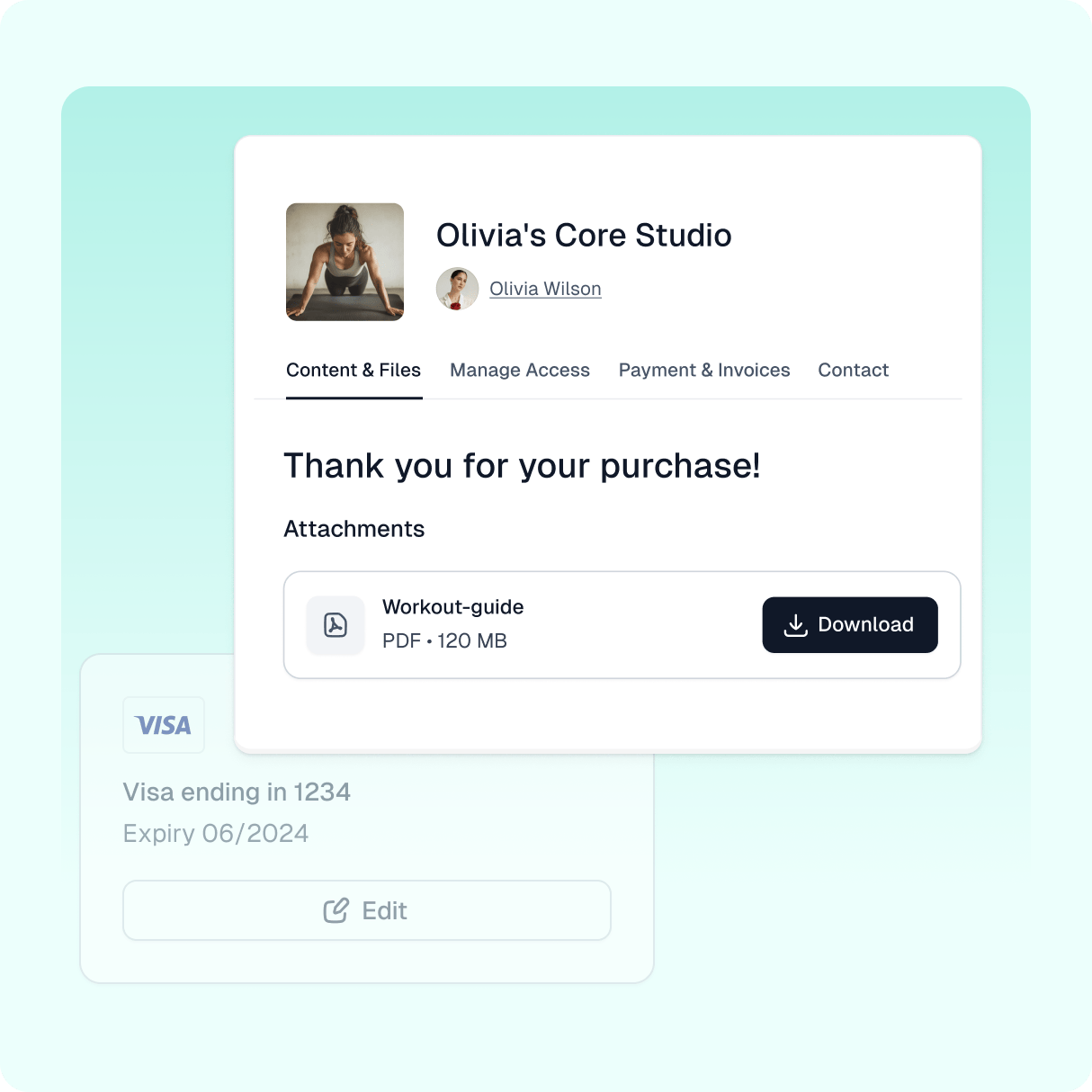
Let customers manage their profiles, passwords, and order history while accessing digital downloads.
- Enable your customers to access purchased products
- Offer a simple way to update payment details
- Consolidate all invoices in one location
- Allow your customers to manage their subscriptions in one place
Product demo
See how this feature works
Check out the demo of this feature and try it out for yourself!
Easycart’s customer portal
Whether you’re selling subscriptions or one-time purchases, we all want customers to come back. Providing them great post-purchase services will help you with that. That’s why we provide your customers with a dedicated customer portal.
How does it work?
Every customer using Easycart has access to their own customer portal. When someone makes their first purchase using Easycart, we create an account for them automatically.
When they log in, they see all purchased products, manage their subscriptions, update payment methods, and access invoices and downloads all on their own.
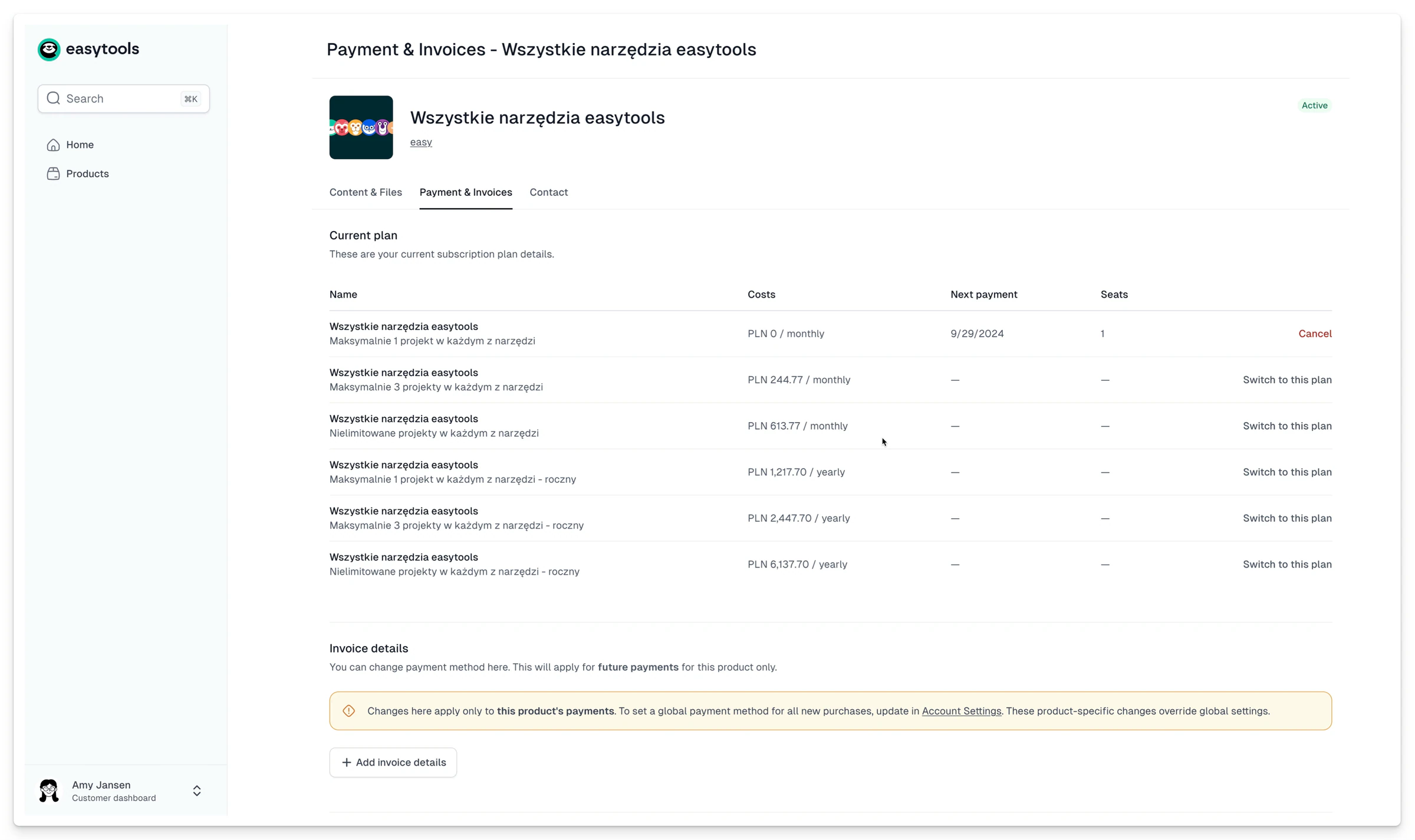
This not only helps customers but also lightens your load as a seller. Since everything your customers need is available on our portal, you don’t need to set up separate systems.
Increased conversion
Easycart’s customer portal is a great tool for boosting sales. Anytime someone makes a purchase, we securely store their data and enable them to buy with one click whenever they return - no matter if they previously purchased something from you or from any other vendor.
To improve the customer experience even further, you can customize your section on the customer portal by changing headers, descriptions, and add buttons to promote your other products. You can do this using our checkout builder and preview what your customers will see.
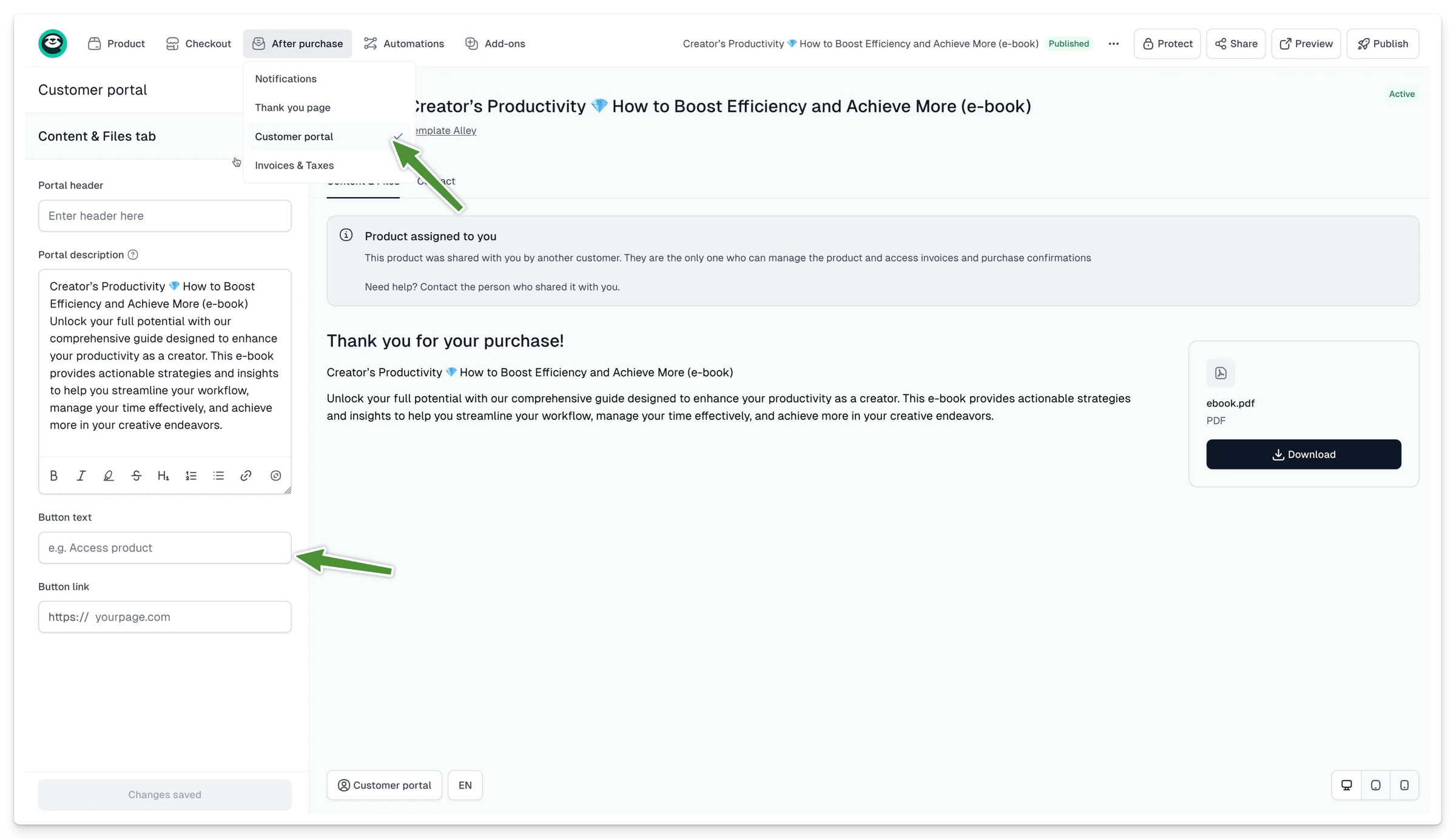
Our customer portal also includes the contact section for easy access to support details, making the whole experience better for everyone.
All types of products
Our customer portal accommodates various digital and physical products, from downloadable files to video courses and QR codes.
If a customer wants to upgrade their subscription, they can easily access it. For businesses, customers who purchased multiple product units can manage and assign seats. The same goes for event tickets with QR codes - if you add QR codes to your tickets, customers will see it in their customer portal.
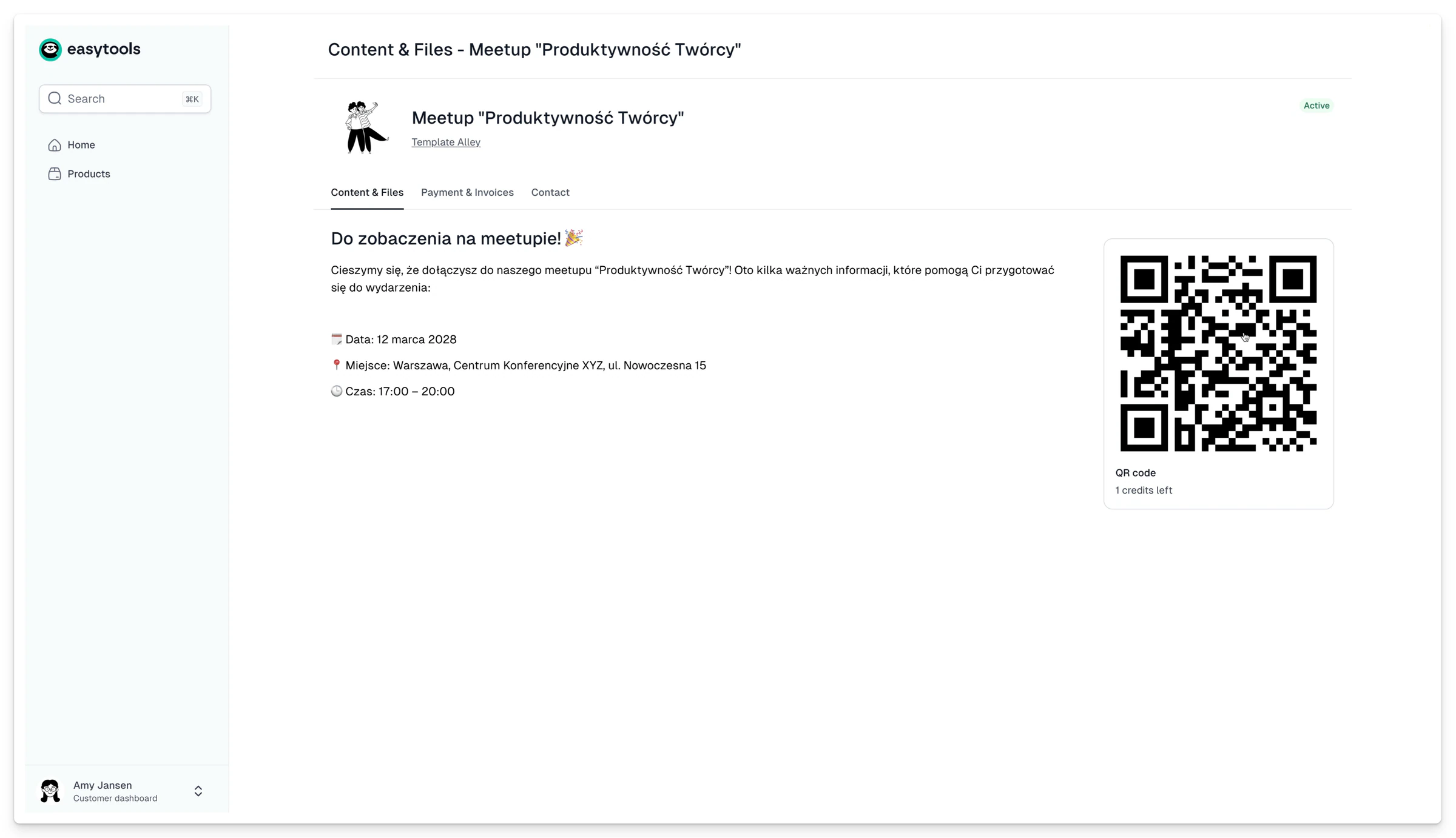
Easycart’s customer portal simplifies customer management and makes selling online smoother for everyone. You don’t have to worry about post-purchase customer care, and your customers can use purchased products without any struggle. Win-win.
Resources
Learn from our resources

Blog Posts
- How to promote an online course in 30 simple, practical steps (An easy guide)
- How to make money podcasting in 20 simple, practical steps (An easy guide)
- How to make money on YouTube in 20 easy ways (A simple and practical guide)
- Top 20 ways to make money as a content creator in 2026! With real examples

Guides and ebooks

Workshops

Case studies
FAQ
Here’s what we’re being asked
Have any questions about Easytools? Feel free to browse our list of frequently asked questions below or just drop us a line, we're always here and ready to lend a hand.
What is Easytools?
Easytools is an all‑in‑one platform for creators and solopreneurs who sell digital products. You can build a product page, take payments with a high‑converting checkout, send emails based on purchases, collect testimonials, and deliver your product (including courses) - all from one place.
Does all Easytools features come in one price?
Yes. All features are included in every paid plan, under one subscription. Want to start small? You can use the free plan with checkout access, then upgrade anytime when you’re ready for the full platform. To learn more details, go to our Pricing.
Do I need Stripe to use Easytools?
Yes - to sell through Easytools, you connect Stripe, the safest global payment operator. Easytools runs on top of your Stripe account, which means your payments and customer data stay in Stripe (so you’re not locked in).
Who is Easytools for?
Easytools is for anyone who creates digital products — whether you’re a team of one, a solopreneur, influencer, freelancer, or a growing business. If you want a simple way to sell online (without a complicated tool stack), you’re in the right place.
How fast can I launch my first product?
Fast. You can create your first product in about 5 minutes with our quick setup. If you still need to connect Stripe, you can usually be ready to accept payments the same day (often within an hour).
Do I need tech skills to use Easytools?
Nope. Easytools is 100% no‑code. You set things up with simple, step‑by‑step editors - no developers, no complicated configuration.
Can I cancel Easytools anytime?
Yes - you can cancel anytime. No long‑term contracts and no strings attached. And because Easytools runs on top of your Stripe account, your payments and sales data stay with you in Stripe. So if you ever decide to stop using Easytools, you’re not losing access to your core sales history and customer data.
Can you help me migrate from another platform?
Yes, we're always ready to help! Tell us what you’re using now and what you want to move, and we’ll guide you through the switch.
Can I integrate Easytools with my existing tool stack?
Absolutely! We’re continually expanding our list of native integrations because we believe that using tools you’re familiar with makes your work faster and easier. And if a tool isn’t on our integration list yet, no worries! You can always send your data from Easytools to a webhook and set up advanced automations or integrations using Make or Zapier.
What kind of support do you offer?
You can reach us via chat and email (and book a call when you need it). You also get access to our knowledge base, onboarding help, and weekly sessions - plus a creator community if you want to connect with others.
Take it easy with Easytools
Focus on creating, and let Easytools handle the behind the scenes work.
No coding · No credit card required · Built on Stripe