You decide when your product can be bought. Set a start and end of availability for the whole checkout or for a single price variant, and optionally show customers a countdown until the offer ends.
If you set a start date, the price stays hidden until that moment. This is useful when you launch a product at a specific time, or when you sell variants that follow one another - for example early-bird tickets first, then regular-priced tickets.
Set availability for the entire checkout
- Go to Product → Basic.
- Scroll to the Availability section.
- Set the start and/or end of availability by selecting dates and times.
- If you want to display a countdown, check the Show countdown timer option.
- Click Save.
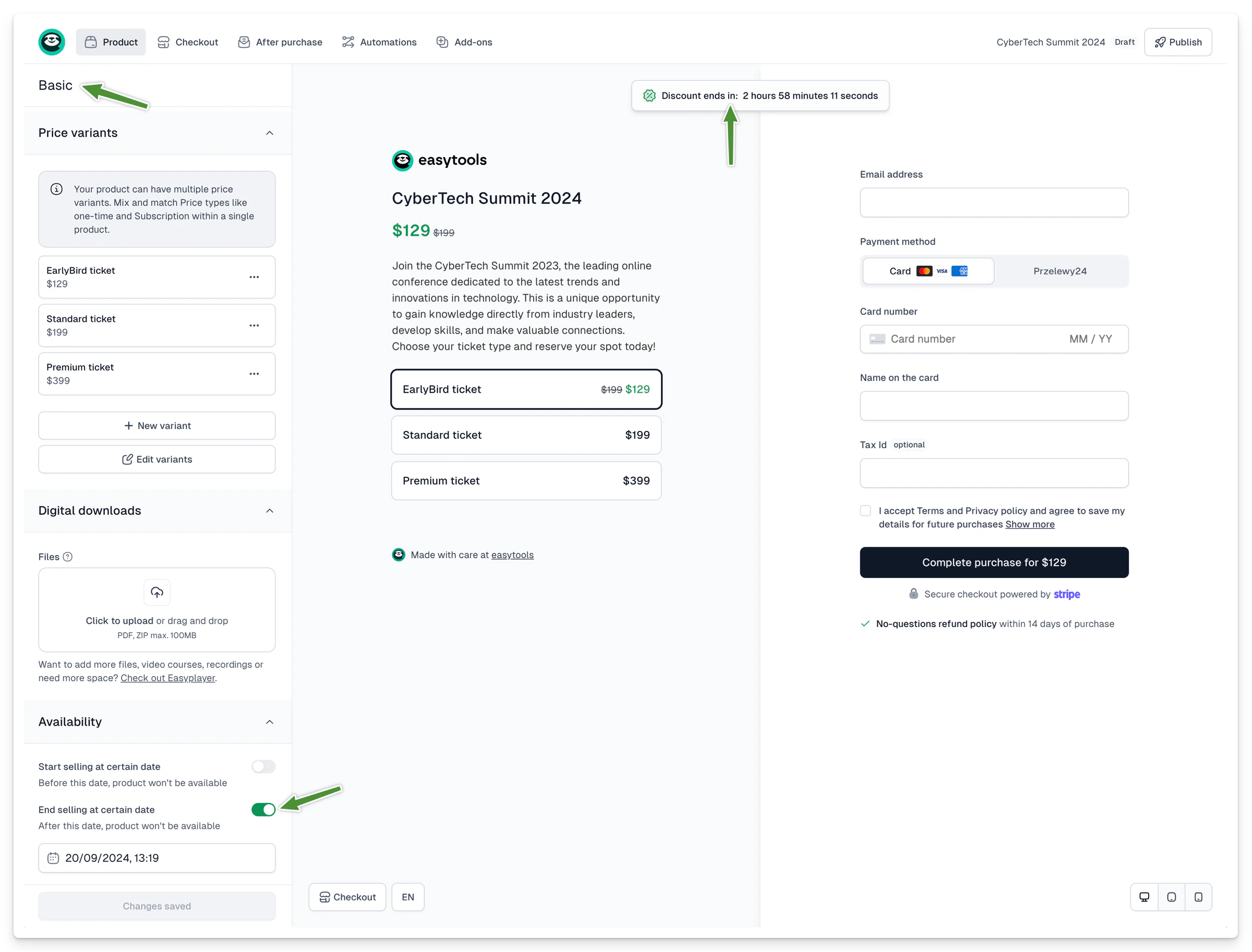
Important: availability set in the Basic tab applies to all price variants of the product.
Set availability for a single price variant
- Go to Product → Price variants.
- Select the variant you want to limit in time.
- Scroll to the Availability section.
- Set the start and/or end of availability by selecting dates and times.
- If you want to display a countdown, check the Show countdown timer option.
- Click Save.
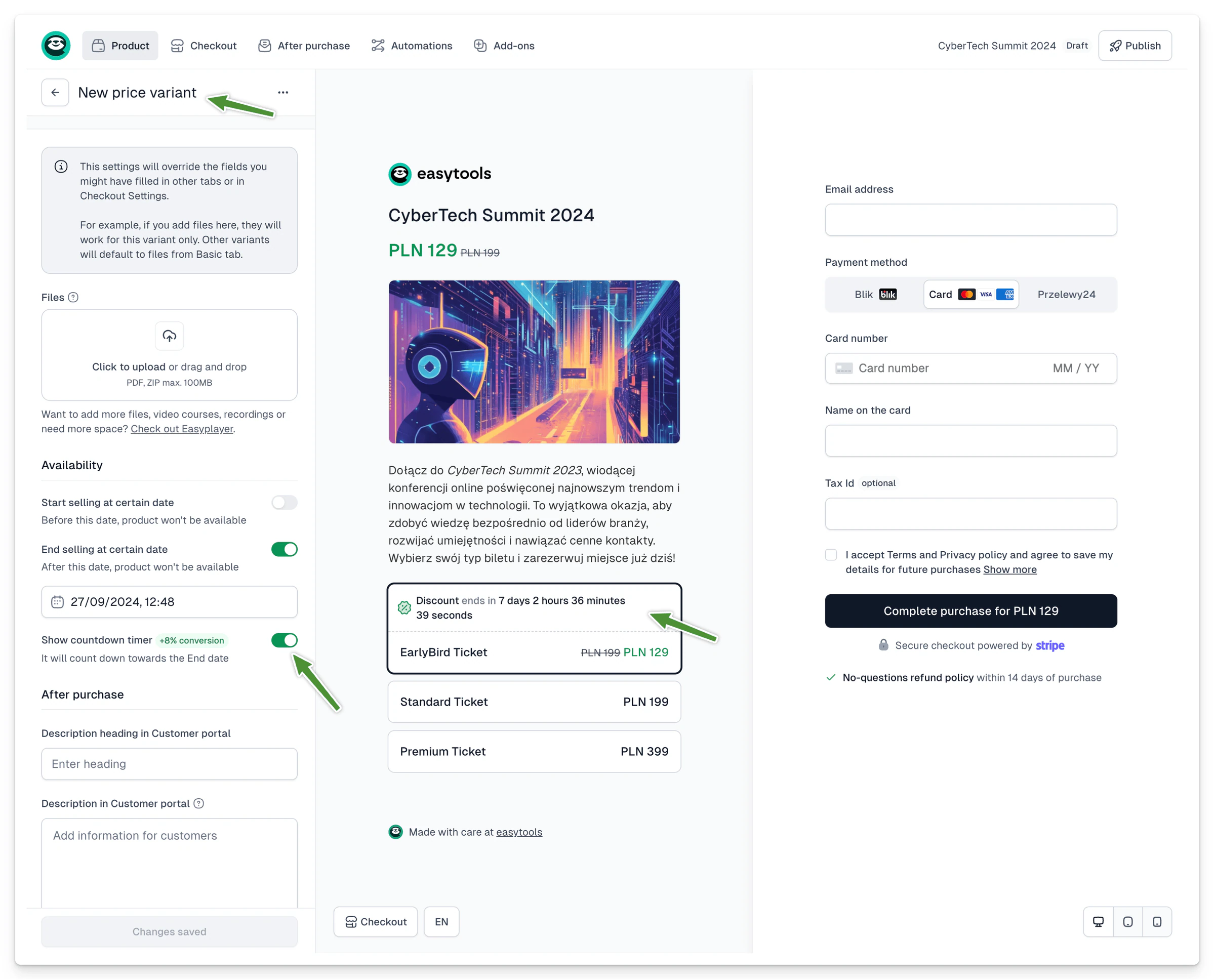
Limiting a promotion in time and showing customers how long the offer lasts increases conversion - on average by around 8%.
What happens when the offer ends
When the availability period passes, the product or variant automatically disappears from the checkout and from shared links - you don’t have to do anything.
If a customer is in the checkout at the exact moment an offer expires:
- if they have the expiring price selected, the page reloads (unless their purchase is already being processed),
- if they have a different price selected, the expired variant simply disappears from the list.